 Learning vocabulary: tips that really help kids
Cramming words the night before makes them vanish just as fast. A few simple habits make them stay – and Elina Go! takes a good part of the work off the child and the parents.
 Test versionGoogle Playfor now – nothing to installTry it in your browser6 languages up to B2 – a whole course. Free.
Little and often
A few minutes a day beat an hour the evening before the test. In Elina Go! your child picks a small daily goal: five, ten or twenty cards.
Repeat just before forgetting
What is solid does not need to come back every day. The flashcard box asks a card again as it starts to fade: wobbly words return soon, safe ones less often.
Quiz yourself instead of just reading
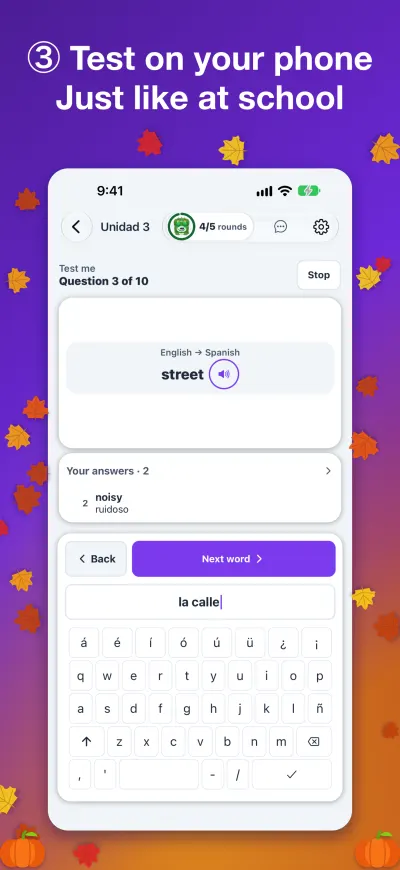
Reading a word once more feels safe but helps little. Better to think first, then look. Elina Go! quizzes like a test at school, and the practice test ends with a grade.
Practise with your own words
The words for the next test are in the school book. A photo of the page is enough to turn them into cards. And Fred the frog shows that every right word counts: it shows a firefly the way home. If a word has irregular forms (go – went – gone), you learn them right away.
Common questions
What makes Elina Go! special?
Elina Go! joins real learning with a game. Your own school book becomes flashcards, the flashcard box asks each word again when it is due, almost every word has two example sentences explained in your language, and before the test there is a practice test with a grade or a sheet to print – in six courses from A1 to B2, explained in eighteen native languages. Meanwhile every right word saves a lost firefly, and Fred the frog grows from an egg to Frog King, by a pond with a real sky and seasons. Costumes and crowns come only from learning, never for money. All of it without an account, without ads and without internet.
Does the app cost anything?
No. All courses and all languages are free.
Does the app need an account or an email address?
No. There is no sign-up and no email address, and nobody counts who learns what. Only the web app in the browser (elina.one/app) offers an optional account, so that you can carry on on another device.
Which languages can I learn, and in which language is it explained?
Six courses from A1 to B2: English, French, Spanish, Italian, Polish and German. Everything is explained in eighteen native languages.
Does the app need the internet?
Not for learning. Every course ships inside the app.
Are the learned words lost when the device changes?
Not if the backup is on. On iPhone, iPad and Mac the app backs up to your own iCloud by itself once iCloud is set up; on Android you switch on Google Drive in the settings. On the new device the app finds the backup at its first start and asks whether to bring everything back. We store nothing for you, which is also why we cannot restore anything.
Test versionGoogle Playfor now – nothing to installTry it in your browser6 languages up to B2 – a whole course. Free.More about Elina Go!
Learning
- Snap the vocabulary from your school book
- Practise the vocabulary test – in the app and on paper
- Fred the frog: the mascot who learns vocabulary with you
- Learning vocabulary when English starts at school
- Learn a word – and its irregular forms come right with it
Devices
- Learn vocabulary on the iPad and the Mac
- Learn vocabulary on the Mac – with a real keyboard
- Learning on the Apple Watch
- Elina Go! on Android
- Learn vocabulary on the iPhone Duo